

If you’ve ever reset a Huawei phone only to get stuck on the Google account verification screen, you’re not alone. As someone who’s spent years testing Android repair software, flashing tools, and FRP removal utilities, I’ve worked with dozens of Huawei devices—from older Kirin-powered phones to newer models. One thing has stayed the same: choosing the right Huawei FRP Tool can save hours of frustration.
In 2026, Huawei FRP unlock tools have become faster, safer, and much more reliable than they were just a few years ago. Whether you’re a mobile repair technician or simply trying to regain access to your own phone after forgetting your Google credentials, there are several trusted solutions worth considering.
This guide explains everything you need to know, including the best Huawei FRP Tool download options, how these tools work, which devices they support, and how to choose the right software without risking your phone.
Quick Answer: What Is the Best Huawei FRP Tool in 2026?
For most users, the best Huawei FRP Tool in 2026 is one that:
- Supports the latest Huawei smartphones
- Works with Android 10, Android 11, and Android 12
- Removes Google account verification safely
- Offers simple one-click FRP bypass
- Receives regular software updates
- Supports Windows 10 and Windows 11
Professional repair technicians often prefer premium Huawei FRP unlock software because it supports more devices and receives ongoing updates. Casual users, on the other hand, may find that free Huawei FRP Tool options are sufficient for older models.
The right choice ultimately depends on your phone model, Android version, and whether you need a one-time unlock or a professional repair solution.

Why Does Huawei FRP Exist in the First Place?
The short answer is security.
Factory Reset Protection (FRP) is a security feature introduced by Google to prevent stolen Android devices from being reused after a factory reset.
Once FRP is enabled, the phone remembers the last Google account that was used before the reset. After resetting the device, Huawei asks for that same Google account before allowing access.
This security system helps protect personal information if a phone is lost or stolen.
However, legitimate owners sometimes run into problems too, especially when:
- They forget their Google password.
- They purchase a second-hand Huawei phone.
- The previous owner forgot to remove their account.
- Login credentials are unavailable.
- The phone has been reset accidentally.
That’s when a Huawei Google Account Bypass Tool or Huawei FRP Remove Tool becomes useful.
What Is a Huawei FRP Tool?
Simply put, a Huawei FRP Tool is software designed to help remove or bypass Google’s Factory Reset Protection on Huawei smartphones.
Most Huawei FRP Unlock Tools communicate with the device through:
- USB Debugging
- Fastboot Mode
- Recovery Mode
- ADB Commands
- Huawei USB Drivers
Depending on the tool, the process may involve removing the Google account verification screen, resetting FRP settings, or guiding users through supported bypass methods.
Many professional Huawei repair tools also include additional features like:
- Firmware flashing
- Device information reading
- Bootloader functions
- Software repair
- Factory reset utilities
- IMEI information reading
- Fastboot commands
- Device diagnostics
This makes them much more than simple FRP removal software.
Which Huawei Phones Are Compatible with Huawei FRP Tools?
Compatibility depends on both the Android version and the specific software you’re using.
Most modern Huawei FRP Unlock Software supports popular devices such as:
- Huawei P30 Series
- Huawei P40 Series
- Huawei Mate 20
- Huawei Mate 30
- Huawei Mate 40
- Huawei Nova Series
- Huawei Y Series
- Huawei Honor devices (older Android models)
- Huawei Enjoy Series
- Huawei MediaPad tablets
Older devices generally have higher compatibility with free Huawei FRP Tool downloads, while newer phones often require updated professional software.
Always verify compatibility before installing any Huawei FRP Tool Latest Version.
Which Huawei FRP Tool Is Best in 2026?
There’s no single solution that works for every Huawei smartphone.
Some tools focus exclusively on FRP lock removal, while others combine flashing, repair, unlocking, and diagnostic features into one package.
Here’s a quick comparison of some of the most popular Huawei FRP tools available in 2026.
Huawei FRP ToolBest ForFree VersionWindows SupportDifficultyGSMNeo FRP ToolBeginnersYesWindows 10 & 11EasyUnlockToolProfessional repair shopsNoWindowsEasyHydra ToolAdvanced usersPaidWindowsMediumEFT ProHuawei servicingPaidWindowsMediumPandora BoxRepair techniciansPaidWindowsMediumDFT ProMulti-brand unlockingPaidWindowsEasyHuawei Multi ToolOlder Huawei devicesFreeWindowsEasy
Each option has strengths depending on your needs.
If you’re unlocking a single personal device, a lightweight Huawei FRP Tool Free Download may be enough.
If you’re running a repair business, investing in professional Huawei service tools usually delivers better compatibility and ongoing updates.
What Features Should You Look for in a Huawei FRP Unlock Tool?
The best Huawei FRP Unlock Software does much more than simply remove Google account verification.
When comparing tools, look for features like:
Wide Device Support
The software should support multiple Huawei models and Android versions.
One-Click FRP Removal
A simplified interface reduces the chance of mistakes during the unlocking process.
Frequent Updates
Huawei security patches continue to evolve.
Software that receives regular updates is far more likely to remain compatible.
Safe Operation
Reliable Huawei FRP Remove Tools are designed to minimize the risk of boot loops or software corruption when used correctly.
Additional Repair Functions
Many premium Huawei repair tools also include:
- Firmware flashing
- Bootloader management
- Device diagnostics
- Factory reset
- Fastboot utilities
- Huawei flashing software
- Huawei firmware tools
These extra features can make a significant difference for advanced users and repair technicians.
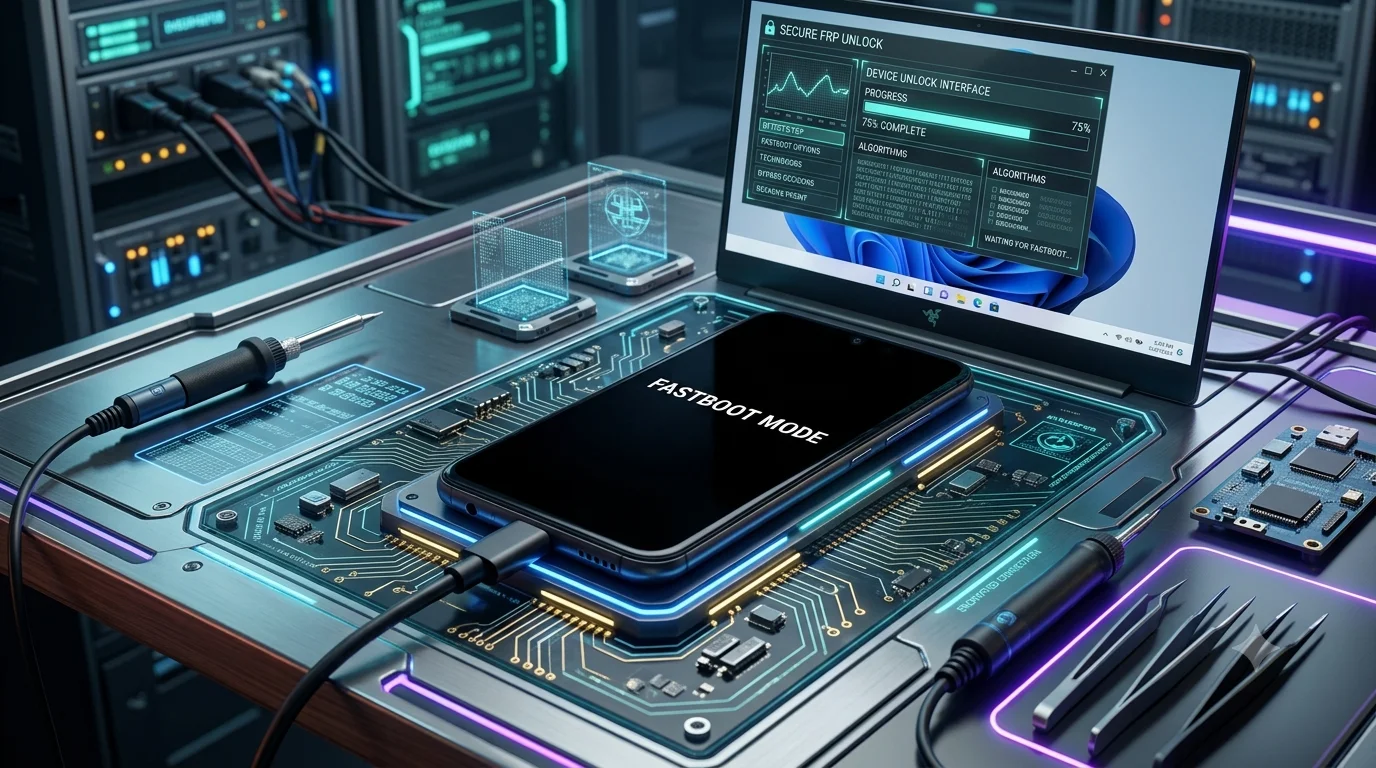
Is There a Free Huawei FRP Tool Download Available?
Yes—but it’s important to understand the trade-offs.
Many websites advertise a Huawei FRP Tool Free Download, and some of these tools genuinely work, especially with older Huawei smartphones.
Free tools are typically suitable for:
- Older Android versions
- Occasional personal use
- Learning purposes
- Basic FRP bypass procedures
However, they often have limitations, including:
- Limited device compatibility
- Fewer updates
- Lack of technical support
- Slower development
- Reduced success rate on newer devices
If you’re working with Android 11 or Android 12, premium Huawei FRP Unlock Software usually offers better results.
That doesn’t mean free tools are useless—they simply serve a different audience.
Can Huawei FRP Tools Remove Google Account Verification Safely?
Yes, provided they’re used responsibly and only on devices you own or are authorized to repair.
A legitimate Huawei Google Account Bypass Tool is intended for situations such as:
- Recovering access to your own phone
- Unlocking a second-hand device after verifying ownership
- Repairing customer devices with permission
- Testing smartphones in professional repair environments
Before using any Huawei FRP bypass software, it’s always recommended to ensure you have authorization to access the device. FRP is a security feature designed to protect users, so bypass tools should only be used for lawful and legitimate purposes.
How Does a Huawei FRP Tool Actually Work?
The short answer is that a Huawei FRP Tool communicates with your device through specialized Android service modes to remove or reset the Factory Reset Protection (FRP) data. The exact process depends on the phone model, Android version, and the capabilities of the software.
Unlike ordinary Android apps, Huawei FRP Unlock Tools interact directly with the phone using service protocols such as ADB (Android Debug Bridge), Fastboot Mode, Recovery Mode, or manufacturer-specific communication methods. Some professional Huawei service tools can even detect the device automatically and recommend the safest unlocking procedure.
When you connect your Huawei phone to a Windows computer, the software identifies the model, Android version, and security patch level. Based on this information, it chooses the appropriate FRP removal method.
Although each tool works differently, the general process includes:
- Installing Huawei USB Drivers on your PC.
- Connecting the device via USB.
- Booting the phone into Fastboot Mode or another supported mode.
- Detecting the device with the Huawei FRP Tool.
- Running the FRP removal or Google account bypass function.
- Restarting the phone after the process is complete.
Modern Huawei FRP Remove Tools automate much of this process, making them easier to use even for beginners.
How Can You Download the Huawei FRP Tool Safely?
Downloading the right Huawei FRP Tool is just as important as choosing the tool itself. Many unofficial websites bundle outdated software, unwanted programs, or modified files that can cause problems.
Before downloading any Huawei FRP Tool Latest Version, keep these best practices in mind:
Download from Trusted Sources
Whenever possible, use the official website or a well-known Android repair community. This helps reduce the risk of corrupted or modified files.
Choose the Correct Version
Some tools support only older Huawei smartphones, while others are updated for Android 10, Android 11, and Android 12.
Verify System Requirements
Most Huawei FRP Tool for Windows applications support:
- Windows 10
- Windows 11
- 64-bit operating systems
- USB 2.0 or USB 3.0 connections
- Administrator privileges
Disable Security Software Only if Required
Some repair tools may be flagged by antivirus programs because they access low-level device functions. If a trusted tool requires temporary antivirus exclusion, re-enable your security software immediately after installation.
How Do You Install Huawei FRP Tool on Windows?
Installing Huawei FRP Unlock Software is generally straightforward.
Most programs follow a similar setup process:
Step 1: Download the Installer
Download the latest version compatible with your Huawei device.
Step 2: Install Huawei USB Drivers
Without the correct drivers, Windows may fail to recognize your phone.
Drivers allow communication between the software and the device during the FRP removal process.
Step 3: Run the Installer
Launch the setup file and follow the installation wizard.
Most installations take only a few minutes.
Step 4: Restart Your Computer
Some drivers require a reboot before they function correctly.
Step 5: Launch the Software
Open the Huawei FRP Tool with administrator privileges for the best compatibility.
Once installed, you’re ready to connect your Huawei smartphone.
What Do You Need Before Starting the FRP Unlock Process?
Preparation can prevent unnecessary errors during the unlocking process.
Before beginning, make sure you have:
- A Windows PC
- Original USB cable
- Huawei USB Drivers installed
- Battery charged above 50%
- Stable USB connection
- Correct Huawei FRP Tool
- Device model information
- Android version details
It’s also wise to back up any accessible data before making changes to the device.
Although FRP removal doesn’t always erase data, certain repair procedures may require a factory reset.
How Do You Use a Huawei FRP Unlock Tool?
The exact interface varies between programs, but most Huawei FRP Tools follow a similar workflow.
Step 1: Open the Software
Launch the Huawei FRP Unlock Tool on your computer.
Step 2: Connect Your Huawei Phone
Use a reliable USB cable.
Wait until Windows recognizes the device.
Step 3: Enter the Required Mode
Depending on the tool, this may involve:
- Fastboot Mode
- Recovery Mode
- Normal Mode
- ADB Mode
Most software provides on-screen instructions.
Step 4: Detect the Device
The software should automatically display:
- Device model
- Android version
- Serial number
- Connection status
Step 5: Start FRP Removal
Choose the FRP Unlock or Google Account Bypass option.
Allow the software to complete the process without disconnecting the device.
Step 6: Restart the Phone
After rebooting, the Google verification screen should no longer appear if the process completed successfully.
Does Huawei FRP Bypass Work on Android 10, Android 11, and Android 12?
Yes—but compatibility depends heavily on the specific tool and your phone’s security patch.
Huawei FRP Bypass Android 10
Android 10 remains one of the most widely supported versions.
Both free and paid Huawei FRP Tools generally work well with compatible devices.
Huawei FRP Bypass Android 11
Android 11 introduced stronger security protections.
Some older FRP bypass tools may no longer function correctly.
Professional Huawei FRP Unlock Software usually performs better on these devices.
Huawei FRP Bypass Android 12
Android 12 includes additional security enhancements that can affect FRP removal.
Using an updated Huawei FRP Tool 2026 significantly improves compatibility and reduces errors.
Always check the supported Android versions before beginning the process.
What Are the Biggest Advantages of Using Huawei FRP Unlock Software?
Modern Huawei repair tools provide much more than simple Google account removal.
Some of their biggest advantages include:
Faster Unlocking
Most devices can be processed within a few minutes.
Broad Device Support
Professional tools support hundreds of Huawei smartphones.
User-Friendly Interfaces
Many programs offer one-click unlocking with guided instructions.
Regular Updates
Updated software keeps pace with new Android security patches.
Multiple Repair Functions
Many Huawei service tools also support:
- Firmware flashing
- Device formatting
- Bootloader operations
- Software repair
- Factory reset
- Device information reading
- Huawei flashing tool utilities
This makes them useful beyond FRP lock removal.
Are There Any Limitations to Huawei FRP Tools?
Yes. Even the best Huawei FRP Tool has certain limitations.
Some common challenges include:
- Unsupported phone models
- New security updates
- Incorrect drivers
- Faulty USB cables
- Interrupted connections
- Windows permission issues
- Outdated software versions
Understanding these limitations helps avoid unnecessary frustration.
What Common Problems Can Occur During Huawei FRP Unlock?
Most issues are relatively easy to fix once you identify the cause.
Device Not Detected
Possible causes:
- Missing Huawei USB Drivers
- Faulty USB cable
- USB port problems
- Driver conflicts
Unlock Process Stops Midway
This may happen because:
- Antivirus interference
- Low battery
- Unstable USB connection
- Unsupported firmware
Fastboot Mode Not Working
Try:
- Reinstalling USB drivers
- Using another USB port
- Updating the Huawei FRP Tool
- Restarting both devices
Google Verification Still Appears
This usually indicates:
- Unsupported security patch
- Outdated software version
- Incorrect unlock method
- Incomplete process
Updating to the latest Huawei FRP Tool often resolves compatibility issues.
What Safety Tips Should You Follow Before Removing FRP?
Using Huawei FRP Tools responsibly helps protect both your device and your data.
Keep these recommendations in mind:
- Use only on devices you own or are authorized to repair.
- Download software from trusted sources.
- Keep your laptop connected to power during the process.
- Avoid disconnecting the phone while the tool is running.
- Install the latest Huawei USB Drivers.
- Use the original USB cable whenever possible.
- Create a backup if accessible.
- Read the software instructions carefully before proceeding.
A few minutes of preparation can prevent many common errors.
Is Free Huawei FRP Tool Software Enough, or Should You Buy a Professional Solution?
The answer depends on how often you need to unlock Huawei devices.
Free Huawei FRP Tools Are Ideal If You:
- Need a one-time unlock
- Own an older Huawei smartphone
- Want to learn the basics of FRP bypass
- Have a limited budget
Professional Huawei FRP Unlock Software Is Better If You:
- Repair phones regularly
- Work with multiple Huawei models
- Need ongoing software updates
- Want higher success rates
- Require additional repair features like firmware flashing and diagnostics
For occasional personal use, a free Huawei FRP Tool Download may be sufficient. However, repair technicians and advanced users often benefit from investing in professional software that offers broader compatibility, dedicated support, and frequent updates.

Frequently Asked Questions About Huawei FRP Tools
Below are answers to some of the most common questions users ask before downloading or using a Huawei FRP Tool in 2026.
Is Huawei FRP Tool free to download?
Yes, several Huawei FRP Tool Free Download options are available online. These free tools can work well for older Huawei devices and earlier Android versions.
However, free software may have limited device compatibility, fewer updates, and little or no technical support. If you’re working with newer Huawei smartphones or repairing devices regularly, a professional Huawei FRP Unlock Software solution is often more reliable.
Can I use a Huawei FRP Tool on Windows 10 and Windows 11?
Absolutely.
Most modern Huawei FRP Tool for Windows applications support both Windows 10 and Windows 11, including 64-bit editions.
Before installing the software, make sure your computer has:
- Administrator access
- Huawei USB Drivers installed
- A stable USB connection
- The latest version of the FRP tool
Keeping both Windows and the software updated helps improve compatibility.
Does a Huawei FRP Tool work without a password?
Yes, that’s the purpose of an FRP removal tool.
A Huawei FRP Unlock Tool is designed to help remove Google account verification when the original account credentials are unavailable. This can be useful if you’re the rightful owner of the device or you’ve purchased a second-hand phone that is still protected by Factory Reset Protection.
Always use these tools only on devices you own or are authorized to service.
Will removing FRP delete my data?
In most cases, the phone has already been factory reset before FRP appears, meaning user data has already been erased.
The Huawei FRP Remove Tool itself typically focuses on removing the Google account verification rather than deleting additional files. However, some repair procedures may include a reset or formatting step depending on the device and software.
If you still have access to your data before beginning, create a backup whenever possible.
Which Android versions are supported?
Support varies by software, but many Huawei FRP Tool 2026 releases are compatible with:
- Android 8
- Android 9
- Android 10
- Android 11
- Android 12
Some professional tools also support newer security patches through regular updates.
Before downloading any Huawei FRP Tool Latest Version, check the compatibility list for your specific Huawei model.
Do I need Huawei USB Drivers?
Yes.
Huawei USB Drivers allow your Windows computer to communicate correctly with the smartphone.
Without the proper drivers, the software may fail to detect the device, enter Fastboot Mode, or complete the FRP removal process successfully.
Installing the latest drivers should always be one of the first steps before using any Huawei Google Account Bypass Tool.
Is Huawei FRP removal safe?
When performed correctly on a device you own or have permission to repair, FRP removal is generally safe.
To reduce the risk of software issues:
- Use trusted FRP software.
- Install the correct USB drivers.
- Follow the instructions carefully.
- Avoid disconnecting the phone during the process.
- Keep your battery sufficiently charged.
Using outdated or modified tools from unknown sources increases the risk of errors, so always choose reputable software.
Which Huawei FRP Tool is best for beginners?
If you’re unlocking a single personal device, look for a tool with:
- A simple interface
- Automatic device detection
- One-click FRP removal
- Clear on-screen instructions
- Regular updates
Professional repair tools offer more features, but beginner-friendly software is often easier for first-time users and reduces the chance of mistakes.
What Can You Do to Avoid FRP Lock in the Future?
The easiest way to deal with Factory Reset Protection is to prevent unnecessary lockouts before they happen.
Here are a few simple habits that can save you time later:
Remember Your Google Account
Before resetting your Huawei phone, confirm that you know:
- Your Google email address
- Your password
- Recovery phone number
- Recovery email
Updating this information regularly makes account recovery much easier.
Remove Your Google Account Before Resetting
If you’re planning to sell, trade, or give away your Huawei device, remove your Google account from the phone before performing a factory reset.
This prevents the next owner from getting stuck at the Google verification screen.
Keep Recovery Information Updated
Many FRP problems occur because users forget passwords they’ve used for years.
Make sure your recovery email and phone number are current so you can reset your password if needed.
Save Important Device Information
Keep a record of:
- Device model
- Purchase receipt
- IMEI number
- Google account details
These details can be helpful if you ever need technical support or warranty assistance.
Final Verdict: What Is the Best Huawei FRP Tool in 2026?
After comparing today’s most popular solutions, one thing is clear: there isn’t a single Huawei FRP Tool that’s perfect for every user.
The best option depends on your experience level, Android version, and the device you’re unlocking.
If you’re looking for a one-time solution for an older Huawei phone, a reputable free Huawei FRP Tool may be enough.
If you’re a repair technician or regularly work with different Huawei smartphones, investing in professional Huawei FRP Unlock Software is usually the smarter choice. Premium tools offer broader compatibility, faster updates, higher success rates, and additional repair functions such as firmware flashing, diagnostics, and device servicing.
Whichever option you choose, always prioritize safety. Download software from trusted sources, install the correct Huawei USB Drivers, and follow the instructions carefully to minimize the risk of errors.
A little preparation goes a long way toward making the FRP removal process smoother and more reliable.
Conclusion
Factory Reset Protection is one of Android’s most important security features, helping protect Huawei smartphones from unauthorized access after a reset. While it can occasionally create challenges for legitimate owners, the right Huawei FRP Tool makes recovering access much simpler.
In 2026, users have access to a wide range of Huawei FRP Unlock Tools, from free utilities for older devices to advanced professional software designed for repair shops. Understanding your device model, Android version, and software requirements is the key to choosing the right solution.
Whether you’re searching for a Huawei FRP Tool Download, Huawei FRP Tool Free Download, Huawei FRP Unlock Tool, Huawei FRP Remove Tool, or a complete Huawei Google Account Bypass Tool, always choose software that is regularly updated, compatible with your device, and supported by a trusted developer.
Using the correct tool not only saves time but also reduces the risk of software issues and improves your chances of a successful unlock.
If this guide helped you understand Huawei FRP bypass and choose the right solution, consider bookmarking this page for future reference. As Huawei releases new devices and Android security updates evolve, we’ll continue updating this guide with the latest recommendations, compatibility information, and best practices for 2026 and beyond.